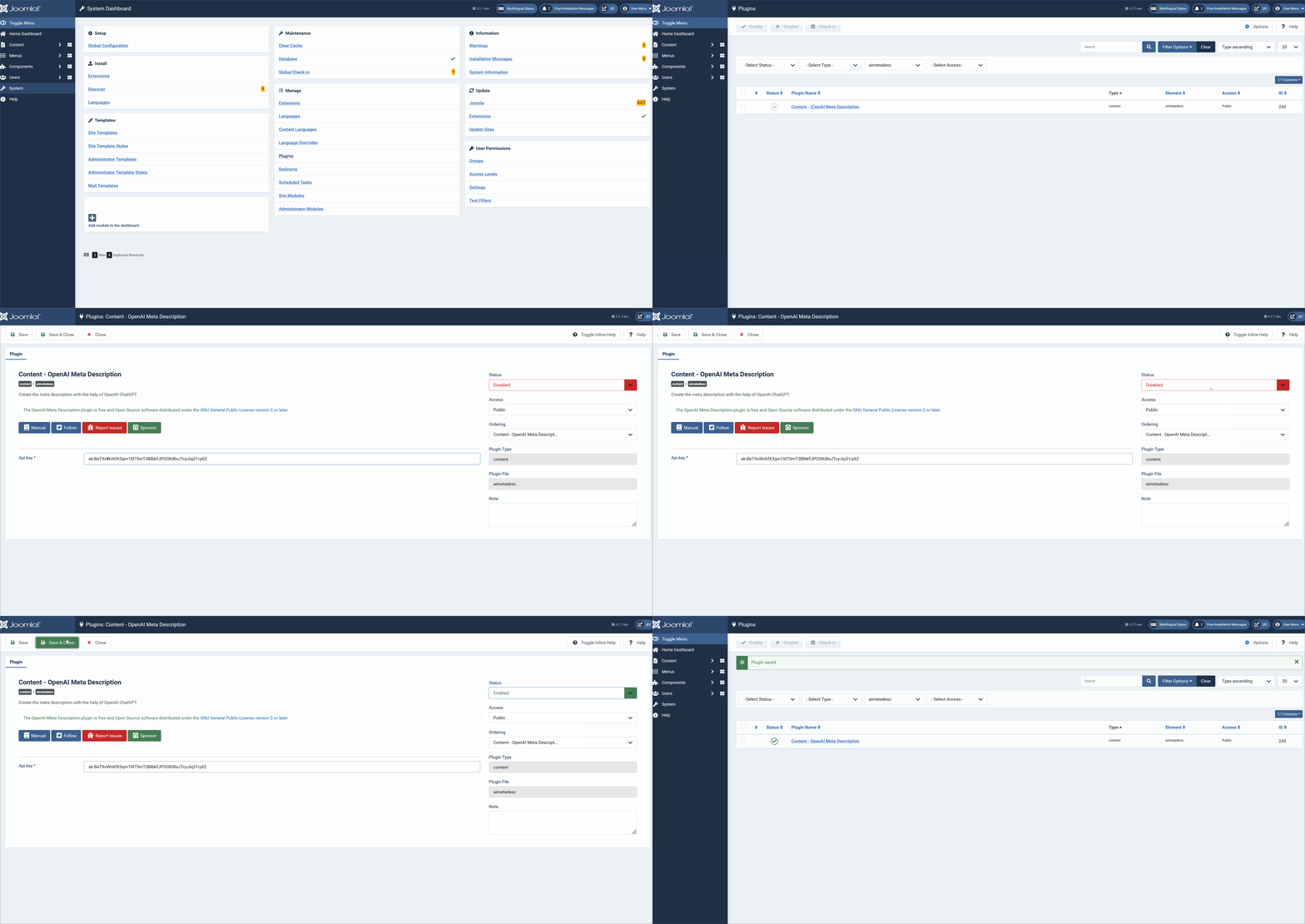
In the backend of you site filter for Content plugins, open the Content - OpenaAI Meta Description .
- Set the api key from https://platform.openai.com/account/api-keys for your account
- Enable the plugin and save
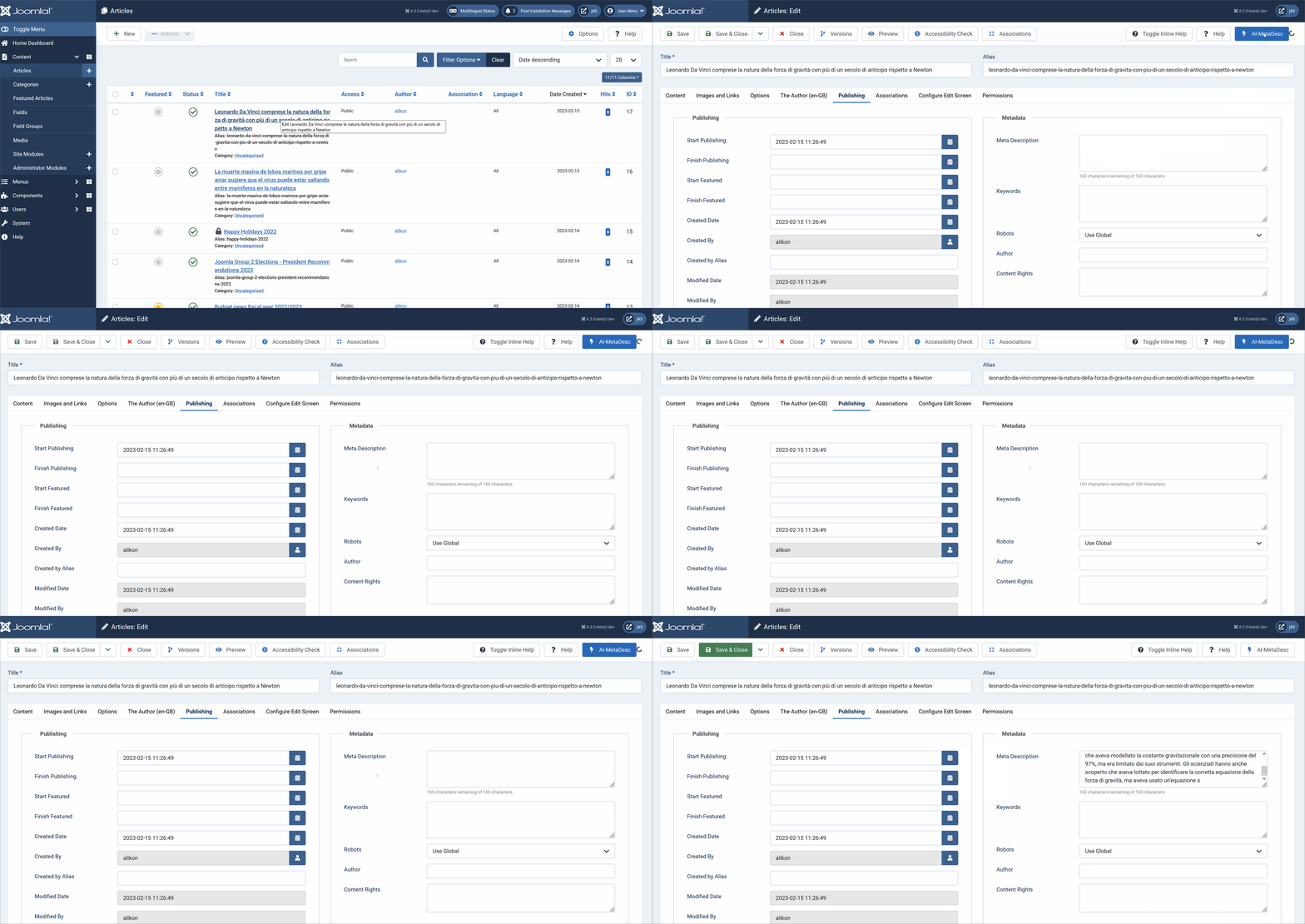
Open an article that you want to generate the Meta description.
In the backend of your site go to Content -> Articles and select the article that you want to generate the Meta Description. Once you open the article you'll see on the top right corner a new Button , the AI-MetaDesc.
When you click on it, it will start to send this article as a prompt to the ChatGPT endpoint using the model "text-davinci-003". And after some seconds you'll see the Meta description filled
Content Plugin: OpenAI ChatGPT Meta Description
With this plugin you can generate Meta Description for an article with the help of ChatGPT in just one click.
Download NowInstall
- Download the Plugin zip file to your local machine.
- From the backend of your Joomla site select Extensions → Install/Uninstall.
- Click the Browse button and select the plugin package on your local machine.
- Click the Upload File & Install button.
- Note that plugins must be enabled before they will work.
Settings
Once the plugin is installed and enabled you need to fill the required parameters:
- the OpenAI api key