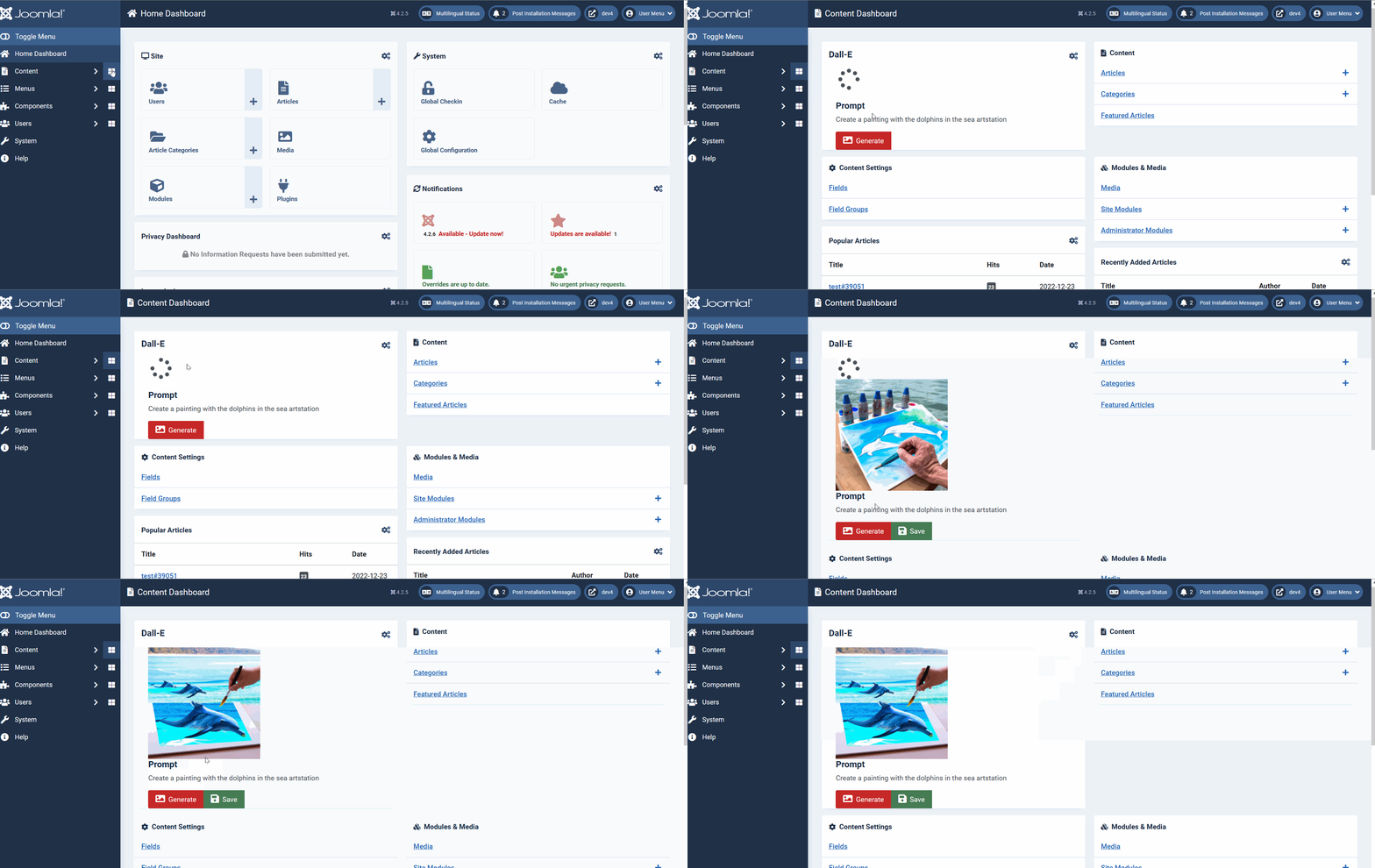
Module: Dall-E 2
DALL·E 2 can create original, realistic images and art from a text description.
Install
- Download the Module zip file to your local machine.
- From the backend of your Joomla site select Extensions→ Install/Uninstall.
- Click the Browse button and select the module package on your local machine.
- Click the Upload File & Install button.
- Note that the module must be enabled before to work.
Settings
Once the module is installed and enabled you need to fill the required settings:
- the Prompt (the text description)
- the image size
- the Dall-E Api token
- the destination folder
In the backend of your site Content -> Administrator Module, open the OpenAI Dalle-2 module.
- Set the Prompt the text description to generate the image
- Set the Image Size
- Set the Api token for access the OpenAI Dall-E 2 API
- Set the folder where the images will be stored
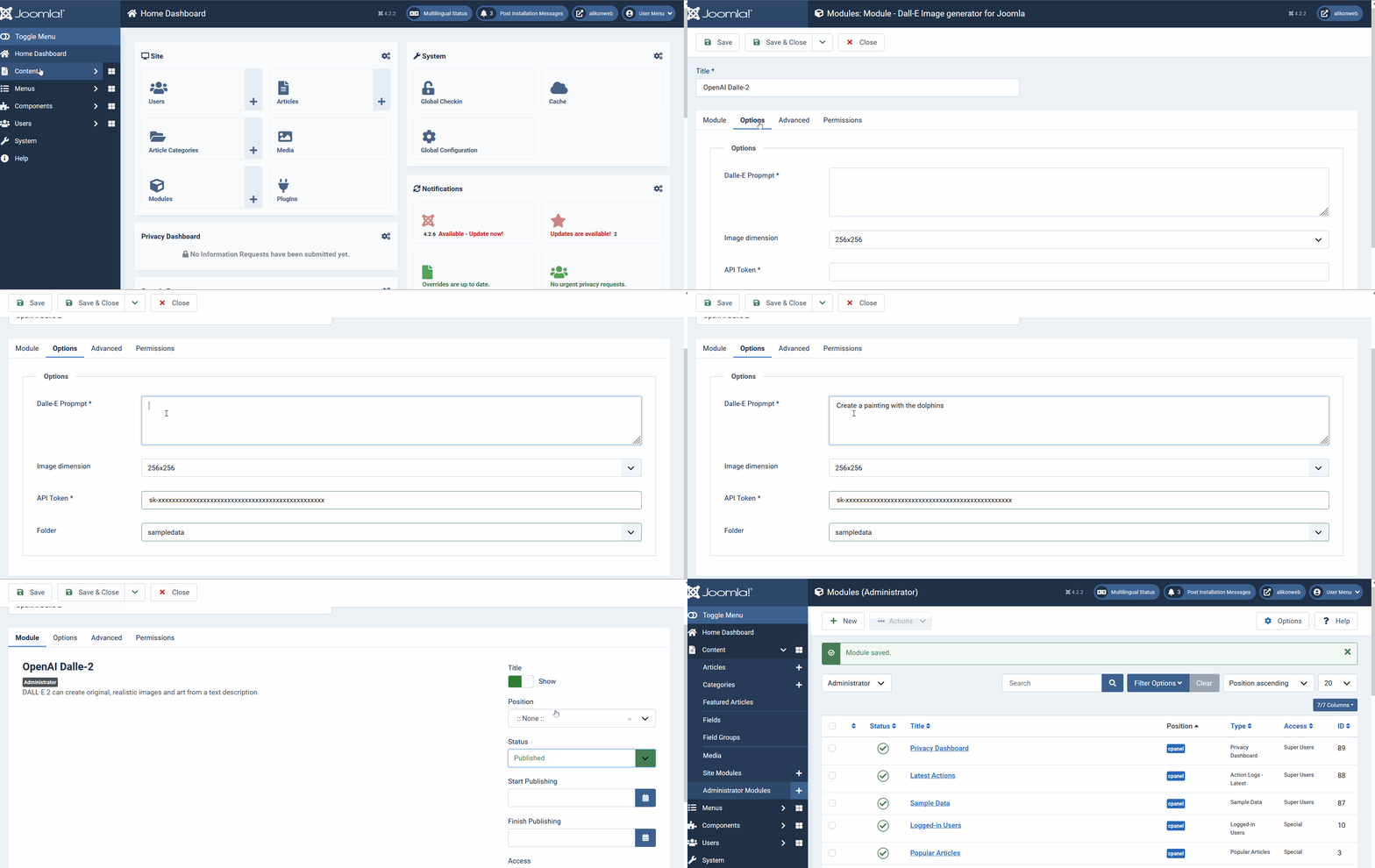
How to use DALL-E 2 to generate images for your site.
In the backend of your site click the Content Dashboard if you have selected the "cpanel-content" module Position
When you click on it, Go to The Dall-E 2 module and click on Generate, wait few seconds
If you like the image you can save it for later usage