Let's set the needed parameters
In the backend of you site go to System -> Scheduled Task
- Create a New task
- Select the task Type Delete Trashed
- Set the the interval
- Set the execution rule
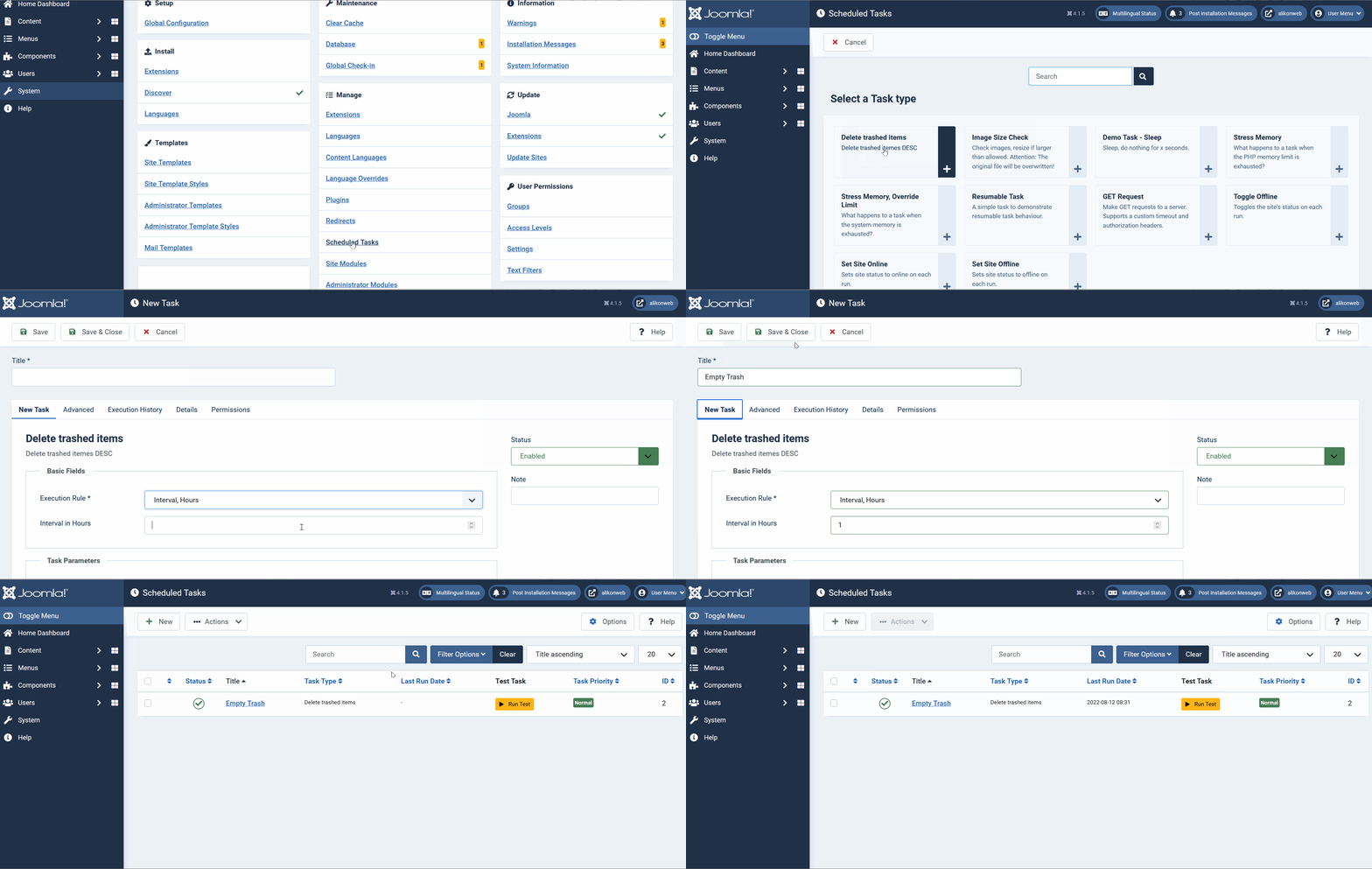
- Details
Task Plugin: Delete Trashed
With this plugin you can schedule to run a delete of trashed items..
Download NowInstall
- Download the Plugin zip file to your local machine.
- From the backend of your Joomla site select Extensions → Install/Uninstall.
- Click the Browse button and select the plugin package on your local machine.
- Click the Upload File & Install button.
- Note that plugins must be enabled before they will work.
Settings
Once the plugin is installed and enabled you need to go System Dashboard → Scheduled task
- Create a new Task
- Select the Task type
- Set the desired interval
- Save